Desktop Performance
Electron desktop delivery with local-first data storage, subject to the application's implementation.
Proprietary desktop software engineered exclusively for New Interior Decorator Pty Ltd. A focused workspace built with Electron, Quasar and an embedded SQLite database for workshop point of sale, product listings and inventory management.
Windows desktop application
A typical setup and daily transaction workflow.
Launch the application and check that the dashboard and local data load correctly.
Enter the business name, address, tax/VAT settings and print templates.
Maintain product names, SKU or barcode, selling prices and available quantities.
Create customer profiles before a sale or during checkout, where supported.
Choose the relevant document type, add items and quantities, verify totals and tax, then save the transaction.
Print receipts or export supported invoices and other documents to PDF.
Select the screenshot to view it at a larger size.
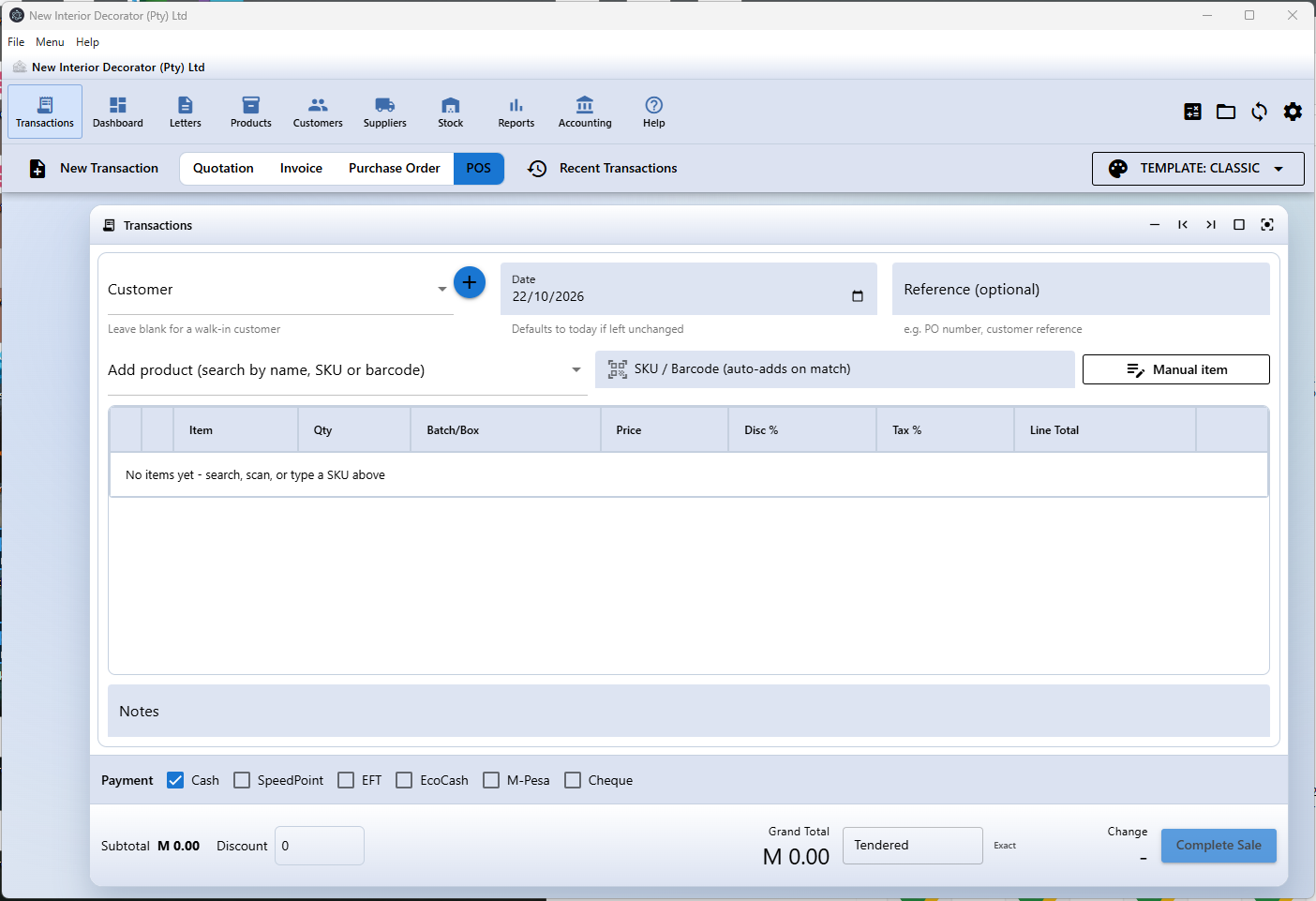
Electron desktop delivery with local-first data storage, subject to the application's implementation.
Product catalogue, SKU/barcode tracking and inventory quantity workflows.
A workflow for sales, customer details and business documents.
Designed around SQLite for local application data. Keep regular, verified backups.
Use the Windows installer supplied by your authorised deployment source.
Download ERP InstallerOnly install software from a source you trust.